> ## Documentation Index
> Fetch the complete documentation index at: https://docs.mailgreet.com/llms.txt
> Use this file to discover all available pages before exploring further.
# Email Verification
> Verify email addresses to improve deliverability and reduce bounce rates with MailGreet single and bulk email validation
# Email Verification
Ensure your emails reach real inboxes by verifying email addresses before sending campaigns. MailGreet's email verification helps you maintain a clean list, reduce bounce rates, and protect your sender reputation.
***
## Why Verify Emails?
Invalid emails cause hard bounces, hurting your sender reputation
Don't waste email sends on addresses that don't exist
Clean lists mean better inbox placement rates
Avoid spam traps and blacklists that damage your domain
When you add new subscribers through the platform, their emails are **automatically verified** at no extra cost. The verification feature is for validating external lists or individual addresses.
***
## Verification Results Explained
After verification, each email receives a status:
| Status | Meaning | Recommendation |
| ---------------- | ---------------------------------------------------------- | ------------------ |
| ✅ **Valid** | Email exists and can receive mail | Safe to send |
| ⚠️ **Catch-All** | Domain accepts all emails (can't confirm specific address) | Send with caution |
| ❌ **Invalid** | Email doesn't exist or is malformed | Do not send |
| ❓ **Unknown** | Unable to verify (server timeout, etc.) | Verify again later |
***
## Single Email Verification
Quickly verify individual email addresses in real-time.
Go to **[Verify](https://mailgreet.com/dashboard/verify)** in the sidebar
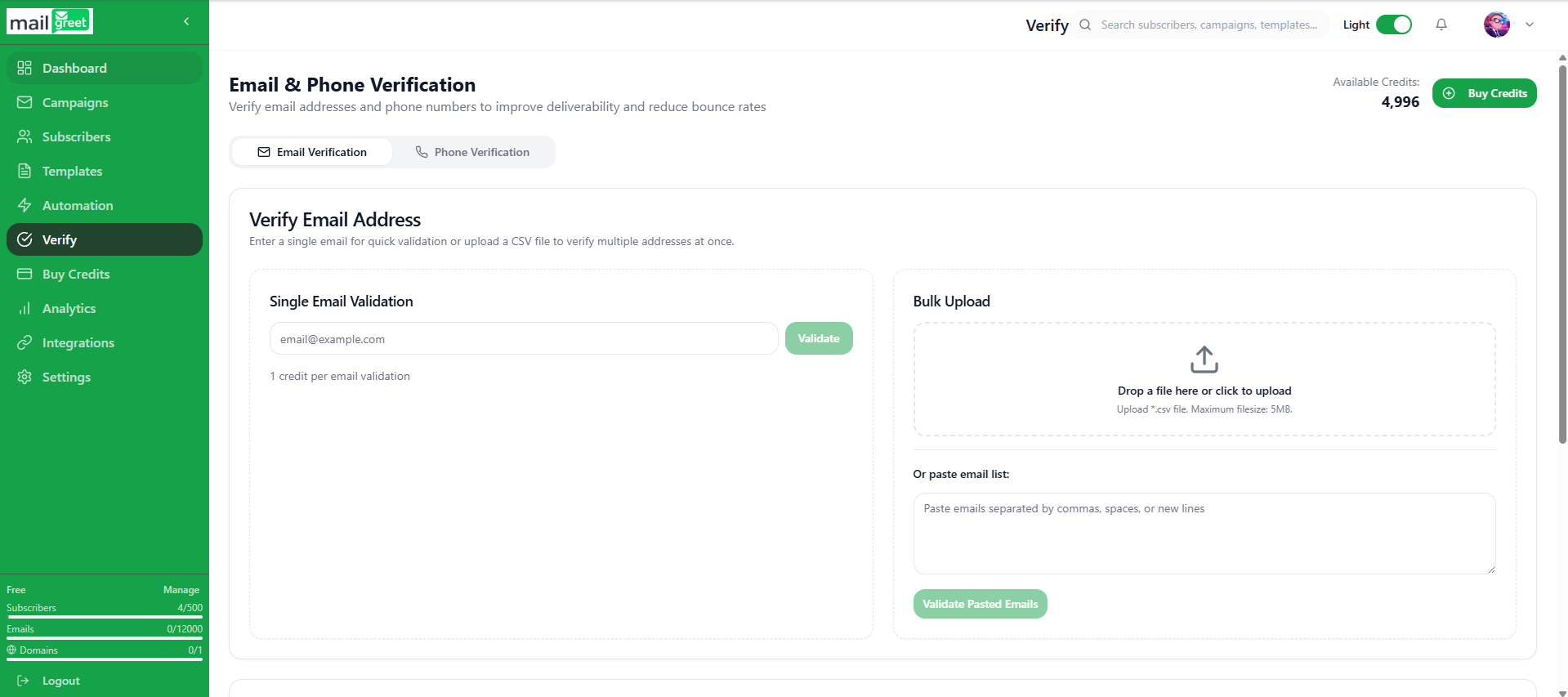
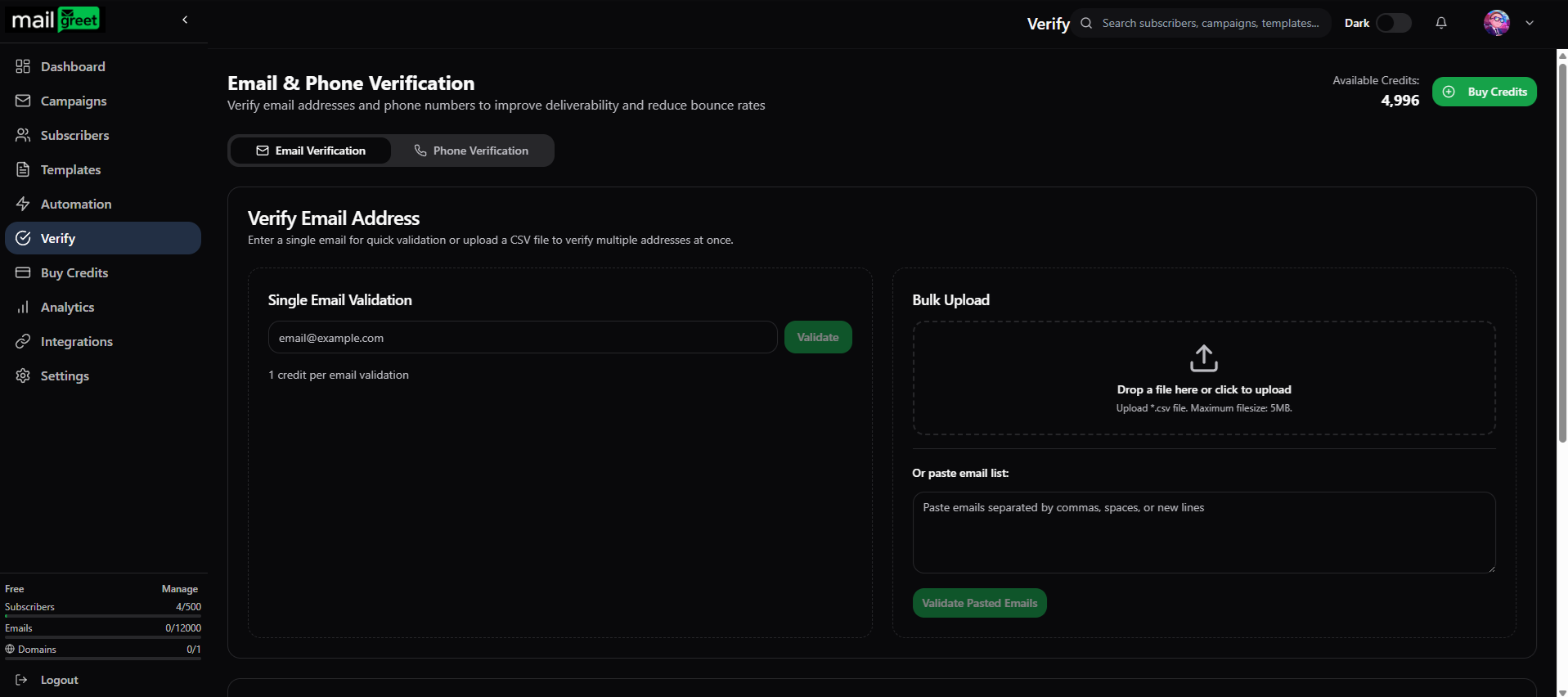 Click on the **Email Verification** tab if not already selected
In the **Single Email Validation** section, type or paste the email address you want to verify
Press the **Validate** button to check the email
Click on the **Email Verification** tab if not already selected
In the **Single Email Validation** section, type or paste the email address you want to verify
Press the **Validate** button to check the email
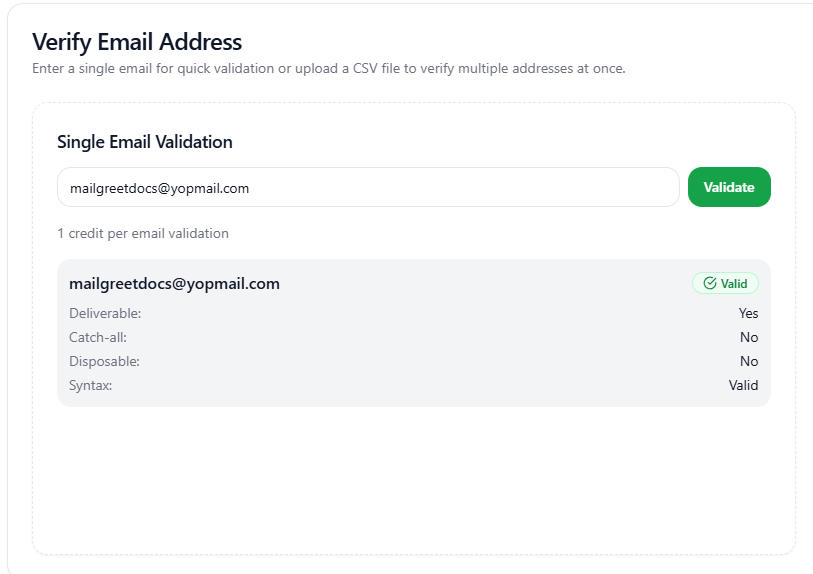
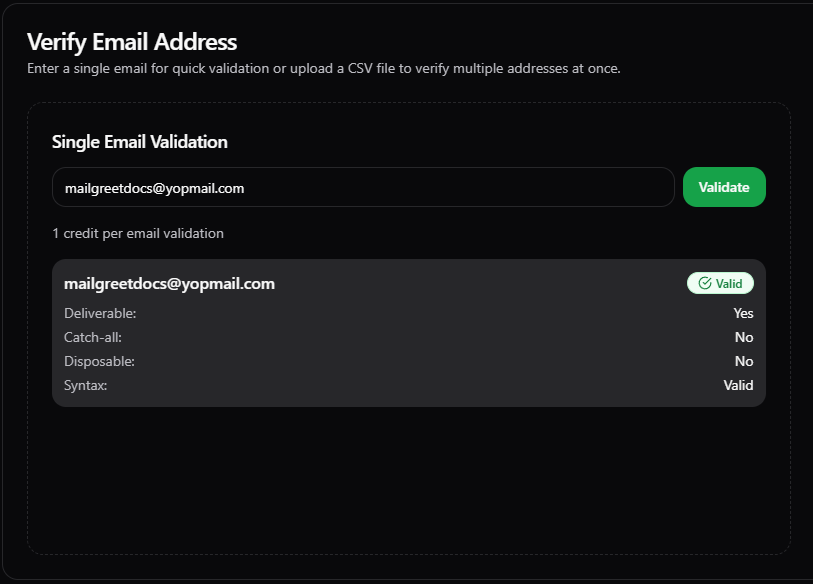 The validation result appears instantly below the input field, showing whether the email is valid, invalid, or catch-all
**Credit Usage:** Each single email verification uses **1 credit** from your account balance.
***
## Bulk Email Verification
Verify hundreds or thousands of emails at once using file upload or paste methods.
### Method 1: CSV File Upload
Upload a CSV or TXT file containing your email list for bulk verification.
Navigate to **[Verify](https://mailgreet.com/dashboard/verify)** and select the **Email Verification** tab
In the **Bulk Upload** section, drag and drop your CSV/TXT file or click to browse
The validation result appears instantly below the input field, showing whether the email is valid, invalid, or catch-all
**Credit Usage:** Each single email verification uses **1 credit** from your account balance.
***
## Bulk Email Verification
Verify hundreds or thousands of emails at once using file upload or paste methods.
### Method 1: CSV File Upload
Upload a CSV or TXT file containing your email list for bulk verification.
Navigate to **[Verify](https://mailgreet.com/dashboard/verify)** and select the **Email Verification** tab
In the **Bulk Upload** section, drag and drop your CSV/TXT file or click to browse
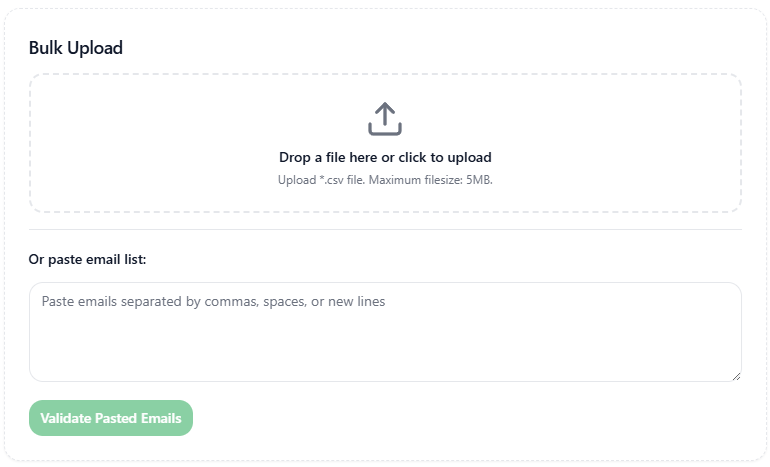
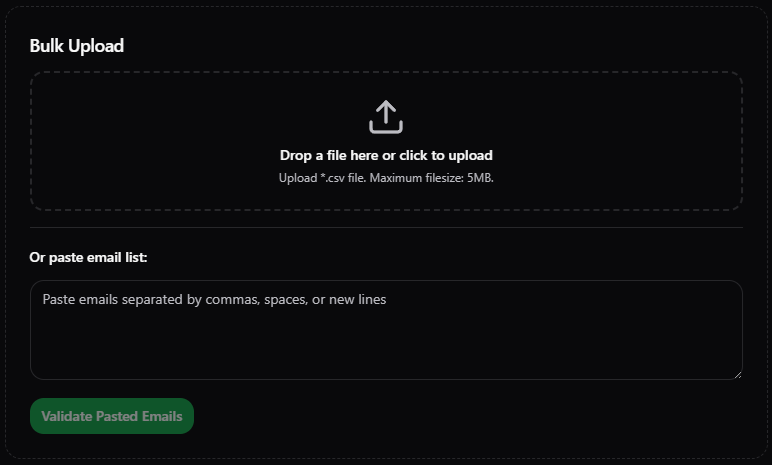 Once uploaded, you'll see your file name with a green **Validate** button. Click it to begin verification.
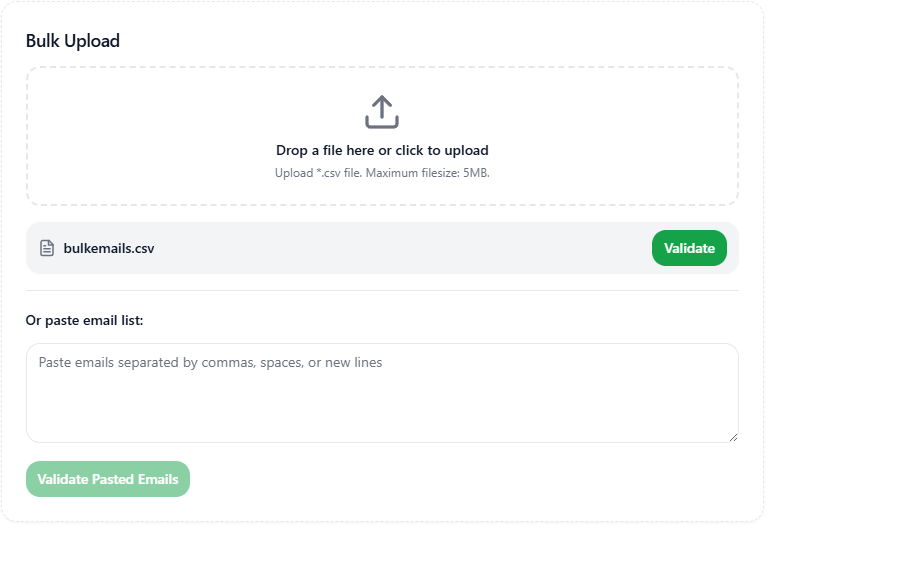
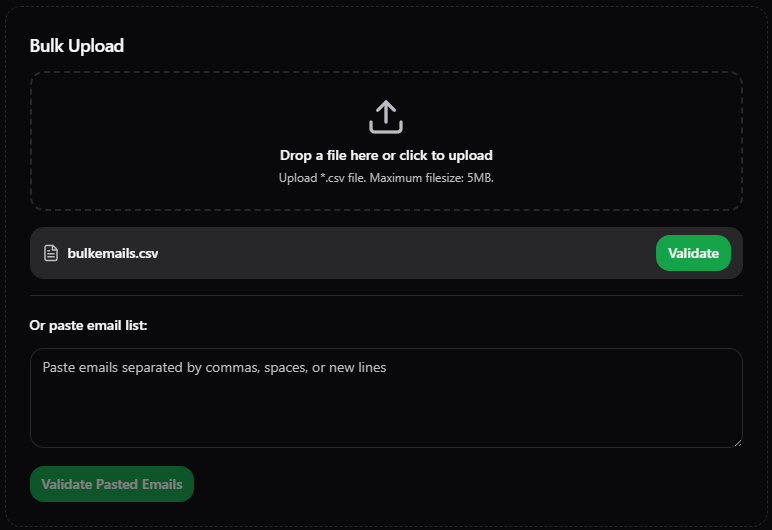 The verification runs in the background. Track progress in the **Recent Validations** section.

 When complete, click on the validation entry to view the summary, or use the **Download** button to export results
### Method 2: Paste Email List
For quick verification without creating a file, paste your emails directly.
In the **Or paste email list** section, paste your email addresses (one per line or comma-separated)
When complete, click on the validation entry to view the summary, or use the **Download** button to export results
### Method 2: Paste Email List
For quick verification without creating a file, paste your emails directly.
In the **Or paste email list** section, paste your email addresses (one per line or comma-separated)
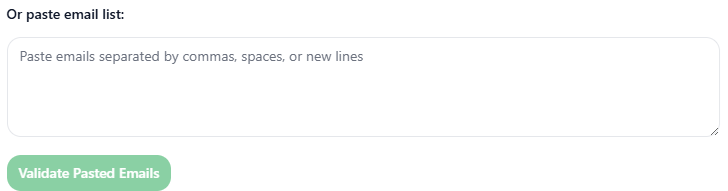
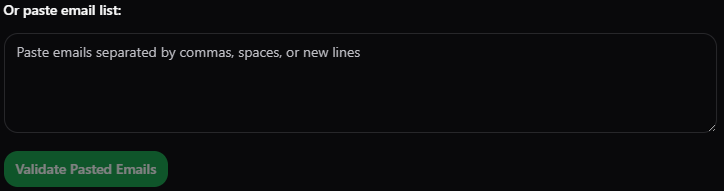 Click the **Validate Pasted Emails** button (it becomes active once you paste emails)
Results appear in **Recent Validations**. Click to view the summary or download the report.
***
## Downloading Verification Reports
After bulk verification completes, you can download filtered reports:
Download only confirmed valid emails — safe to send
Include catch-all domains for maximum reach
Export invalid emails for list cleaning
Get complete results with all statuses
***
## Credit Usage & Pricing
* **1 credit** = 1 email verification
* Bulk verification of 1,000 emails = 1,000 credits
* Credits are deducted when you click **Validate**
* Invalid/unknown results still consume credits
Purchase verification credits from the **[Buy Credits](https://mailgreet.com/dashboard/buy)** page:
| Credits | Price |
| ------- | ----- |
| 2,000 | \$15 |
| 5,000 | \$29 |
| 10,000 | \$49 |
| 25,000 | \$69 |
| 50,000 | \$119 |
**No!** When subscribers are added through MailGreet (import, API, or forms), their emails are verified automatically at no credit cost. Credits are only used for the standalone verification feature.
***
## Best Practices
**Verify before importing:** Always verify external email lists before adding them to your subscriber base to maintain list hygiene.
**Remove invalid emails:** Sending to invalid addresses damages your sender reputation. Always remove emails marked as "Invalid" from your campaigns.
Verify your list every 3-6 months to catch emails that have become invalid
Prioritize "Valid" emails in campaigns. Use "Catch-All" with caution.
***
## Related Features
Verify phone numbers for SMS campaigns
Buy verification credits for your account
Import verified contacts to your lists
Organize and manage your subscriber base
Click the **Validate Pasted Emails** button (it becomes active once you paste emails)
Results appear in **Recent Validations**. Click to view the summary or download the report.
***
## Downloading Verification Reports
After bulk verification completes, you can download filtered reports:
Download only confirmed valid emails — safe to send
Include catch-all domains for maximum reach
Export invalid emails for list cleaning
Get complete results with all statuses
***
## Credit Usage & Pricing
* **1 credit** = 1 email verification
* Bulk verification of 1,000 emails = 1,000 credits
* Credits are deducted when you click **Validate**
* Invalid/unknown results still consume credits
Purchase verification credits from the **[Buy Credits](https://mailgreet.com/dashboard/buy)** page:
| Credits | Price |
| ------- | ----- |
| 2,000 | \$15 |
| 5,000 | \$29 |
| 10,000 | \$49 |
| 25,000 | \$69 |
| 50,000 | \$119 |
**No!** When subscribers are added through MailGreet (import, API, or forms), their emails are verified automatically at no credit cost. Credits are only used for the standalone verification feature.
***
## Best Practices
**Verify before importing:** Always verify external email lists before adding them to your subscriber base to maintain list hygiene.
**Remove invalid emails:** Sending to invalid addresses damages your sender reputation. Always remove emails marked as "Invalid" from your campaigns.
Verify your list every 3-6 months to catch emails that have become invalid
Prioritize "Valid" emails in campaigns. Use "Catch-All" with caution.
***
## Related Features
Verify phone numbers for SMS campaigns
Buy verification credits for your account
Import verified contacts to your lists
Organize and manage your subscriber base